Captions with speakers
Speech to captions on your PC, with each speaker separated.Give speakers their real names in «Speaker names».

What it is
Turn the speech in a recording into captions on your PC, without uploading the video anywhere. Turn on «Separate speakers» and each speaker gets a colour, then name them in «Speaker names» and the name changes on the timeline, the preview and the export.
How it works
The screenshots show Laqtta in Arabic. Switch the app to English in Settings and the same buttons read in English.
In the «Video editor», press «Auto captions». Pick the speaker language, turn on «Separate speakers», then «Generate captions».
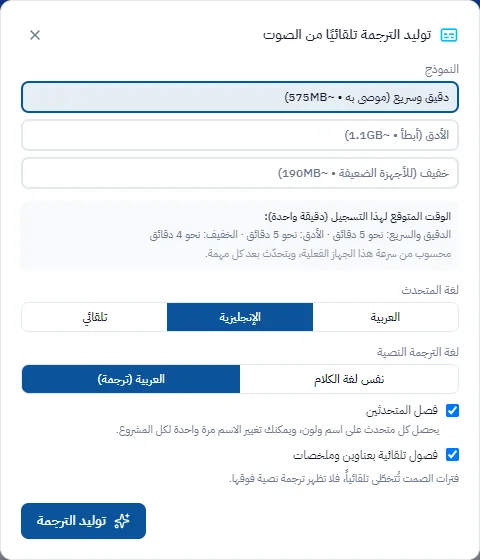
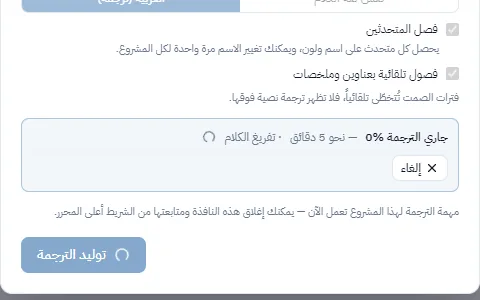
The job runs on your PC and shows its progress and expected time; you can close the window and follow it on the editor bar.
Press «Speaker names», type each speaker’s name, then «Save».

The captions show on the timeline in each speaker’s colour with their name, and in the preview.

When it helps
- Caption a meeting recording so people who missed it can follow without sound.
- See who said what in a three-person discussion.
- Export an SRT file or the conversation text to upload with the video or keep as minutes.
- Reach viewers watching in public without headphones.
Related features
Download Laqtta
Windows · every feature for 7 days with no sign-up, then free forever