English speech to Arabic captions
A video in English? Get Arabic captions.And the other way, Arabic to English.
What it is
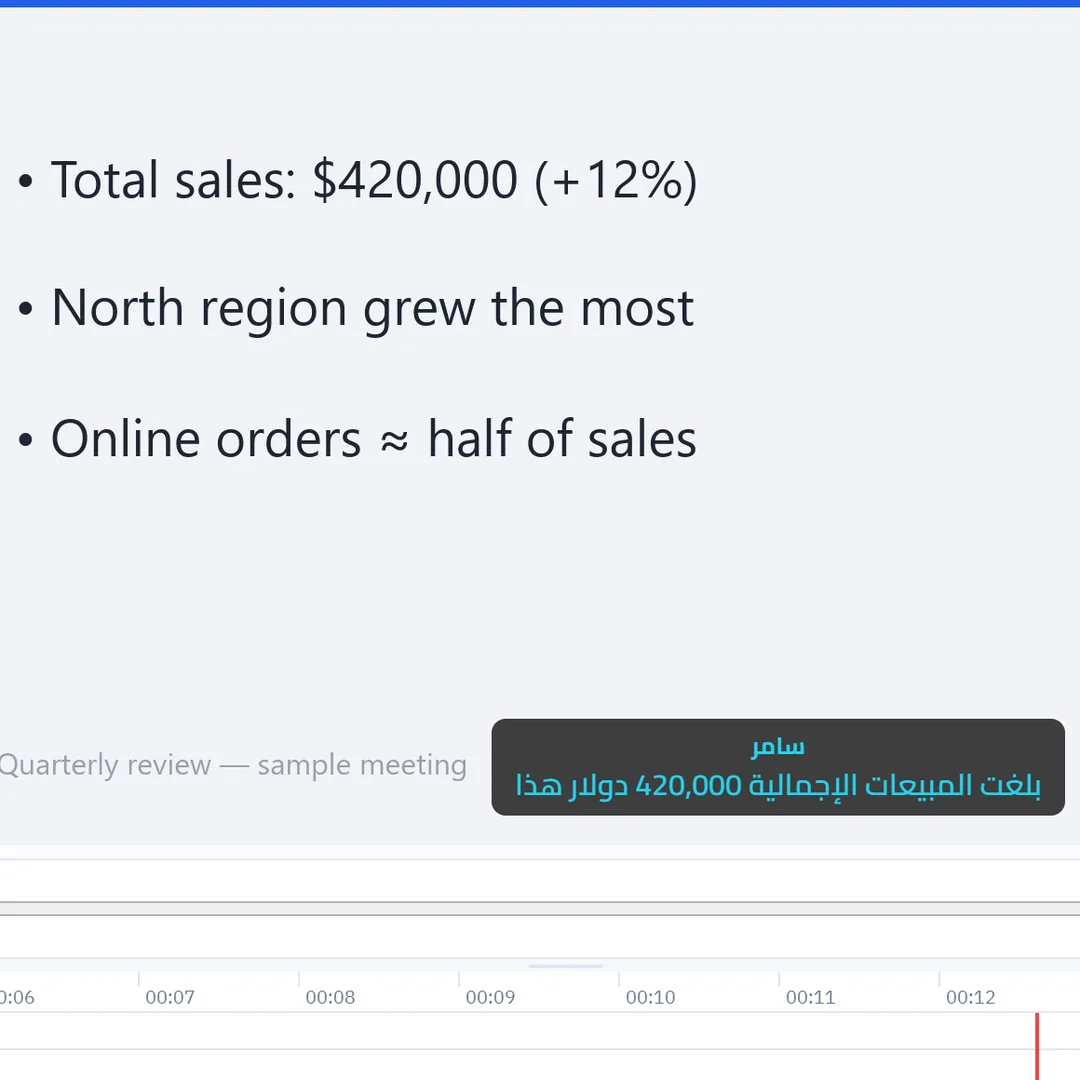
A video in English? Choose «Arabic (translation)» and get Arabic captions of the speech — and the other way, Arabic to English. Transcription and translation run on your PC, so the job takes minutes depending on the video length and your PC.
How it works
The screenshots show Laqtta in Arabic. Switch the app to English in Settings and the same buttons read in English.
In the «Auto captions» window, set the speaker language to «English» and the caption language to «Arabic (translation)».
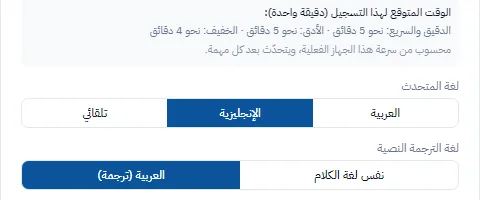
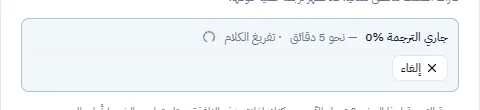
Press «Generate captions» and follow the progress: transcription, then translation.
The Arabic captions show over the English video, and you can edit any line before exporting.

When it helps
- Show an English training video to an Arabic-speaking team with readable captions.
- Share an Arabic product video with a foreign partner with English captions.
- Follow a meeting recording with a foreign supplier in Arabic.
Related features
Download Laqtta
Windows · every feature for 7 days with no sign-up, then free forever