Scrolling capture
A whole long page in one image — Laqtta scrolls for you.Works sideways too, on wide sheets like Excel.

What it is
A page longer than your screen? Choose «Auto scrolling shot», point at the part that scrolls and press the arrow: Laqtta scrolls the page itself and joins it into one long image with no repeats. It works sideways too, on wide sheets.
How it works
The screenshots show Laqtta in Arabic. Switch the app to English in Settings and the same buttons read in English.
On the «Capture» page, choose «Auto scrolling shot».
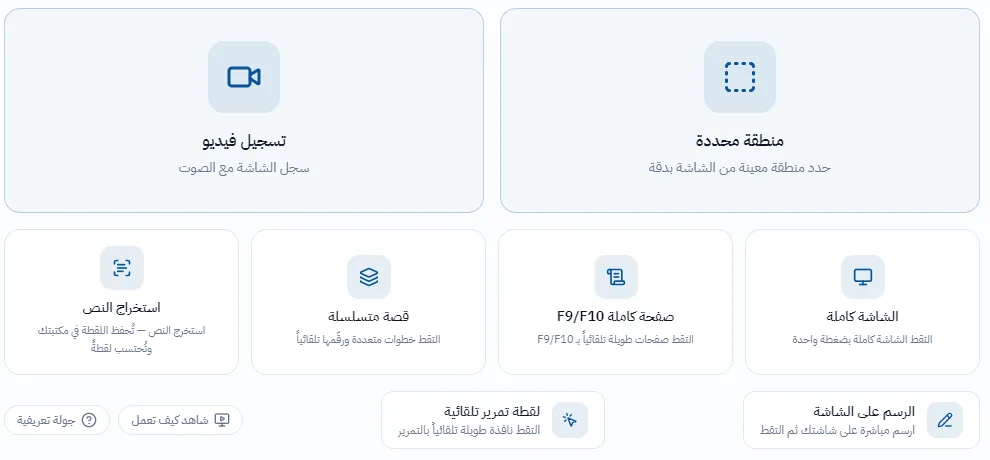
Move the mouse over the window or the part that scrolls; it turns blue with an arrow in the middle. Press the «Down» arrow.
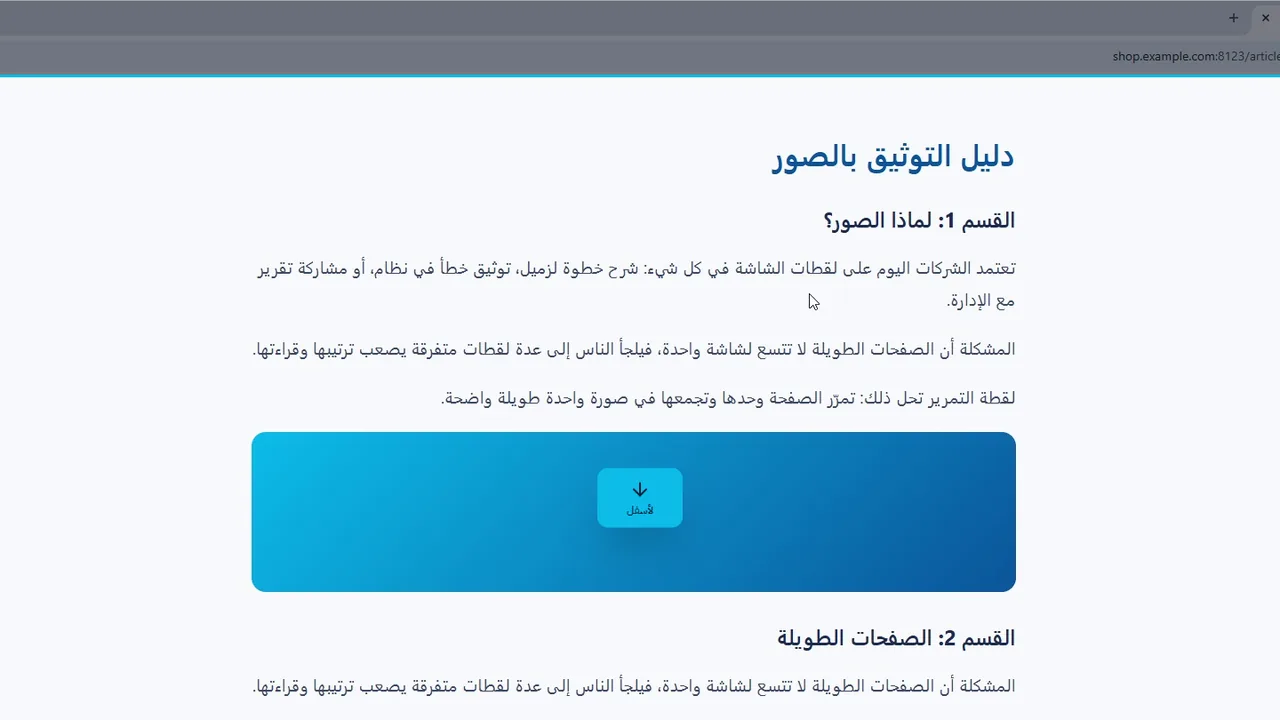
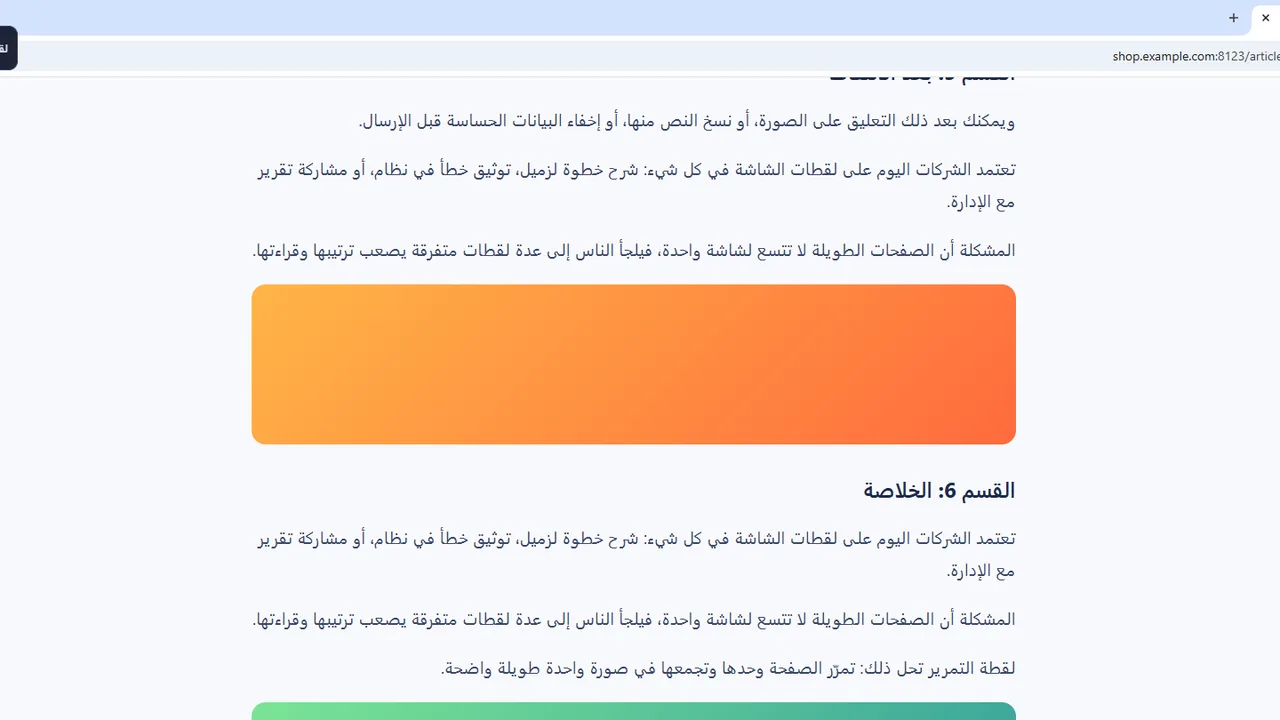
Laqtta scrolls the page to its end on its own. Leave the mouse until it finishes.
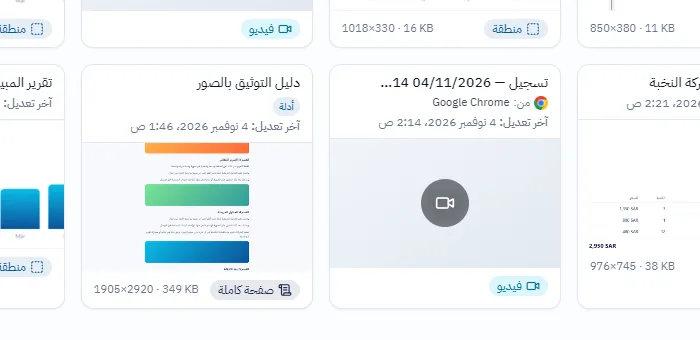
The whole page is one image in the «Library», marked «Full page».
When it helps
- Keep a whole article or policy page as one image to review later.
- Send a long chat or a full order history as one image instead of ten captures.
- Capture a wide Excel sheet in full by scrolling sideways.
- Document a long settings page before you change anything in it.
Related features
Download Laqtta
Windows · every feature for 7 days with no sign-up, then free forever