Edit text inside an image
Click a word in the capture and type a new one.Keeps the font, colour and background as close as it can.

What it is
Change a word or a number inside a capture without a design app: turn on «Edit text», click the word and type the new one. Laqtta tries to match the font, size, colour and background as closely as it can, and you can adjust them before «Replace».
How it works
The screenshots show Laqtta in Arabic. Switch the app to English in Settings and the same buttons read in English.
In the «Image Editor», choose «Edit text». Every word the app reads gets a frame.
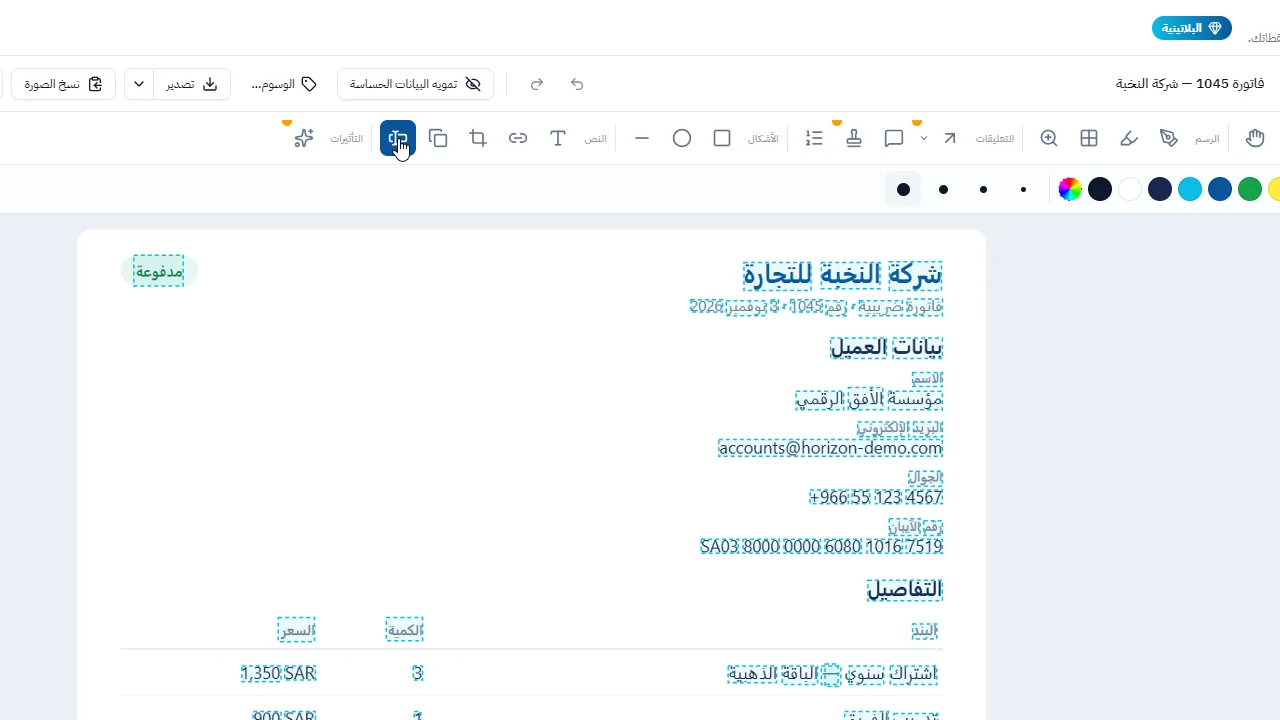
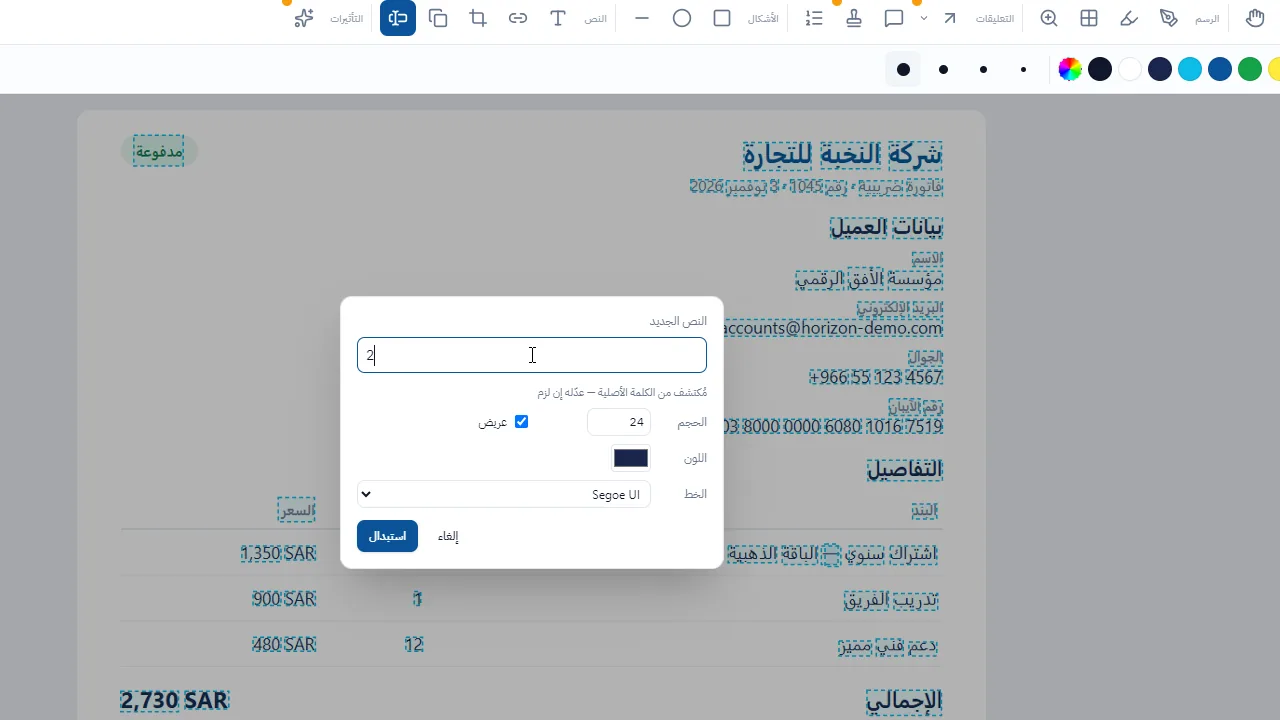
Click the word or number. The «New text» window opens with the current text, its font, size and colour.

Type the new text and press «Replace».
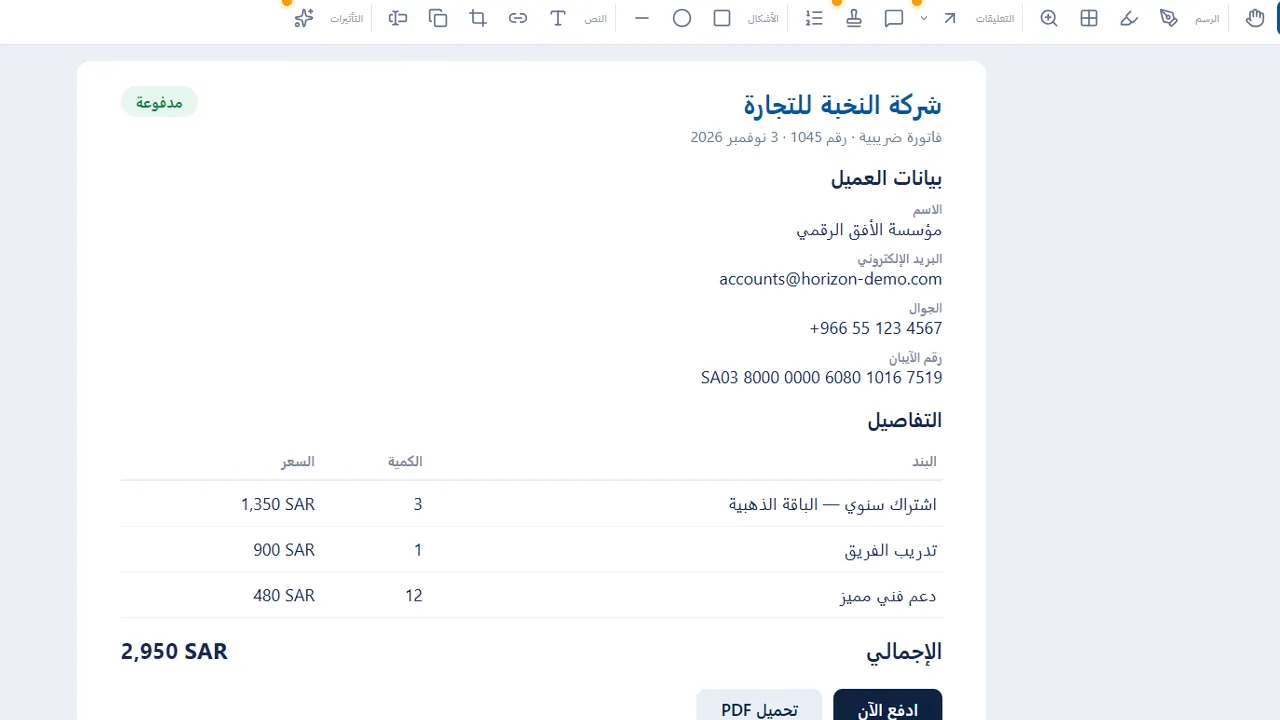
The new text sits in place on the same background.
When it helps
- Fix a number or a date in a how-to capture without taking it again.
- Change a sample name in a demo capture before sending it to a customer.
- Update a price in an older capture of a product page.
- Swap real data for example data in a training capture.
Related features
Download Laqtta
Windows · every feature for 7 days with no sign-up, then free forever