Smart redaction
Finds emails, numbers and sensitive details in a capture.Hides them in one click before you share.

What it is
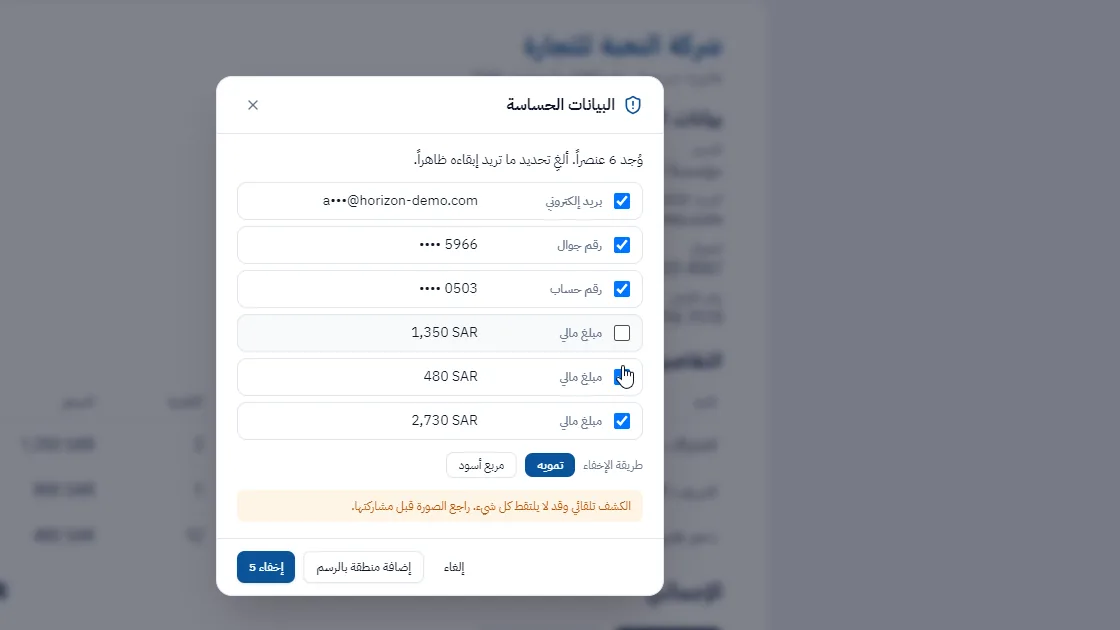
Before you share a capture, «Hide sensitive data» looks in it for emails, phone and account numbers, IBANs and amounts, and lists them for you. Untick what should stay visible and press «Hide»: the rest is blurred or covered with a black box.
How it works
The screenshots show Laqtta in Arabic. Switch the app to English in Settings and the same buttons read in English.
Open the capture in the «Image Editor» and press «Hide sensitive data» at the top.

The «Sensitive data» window lists what Laqtta found. Untick anything that should stay visible, and choose «Blur» or «Black box».
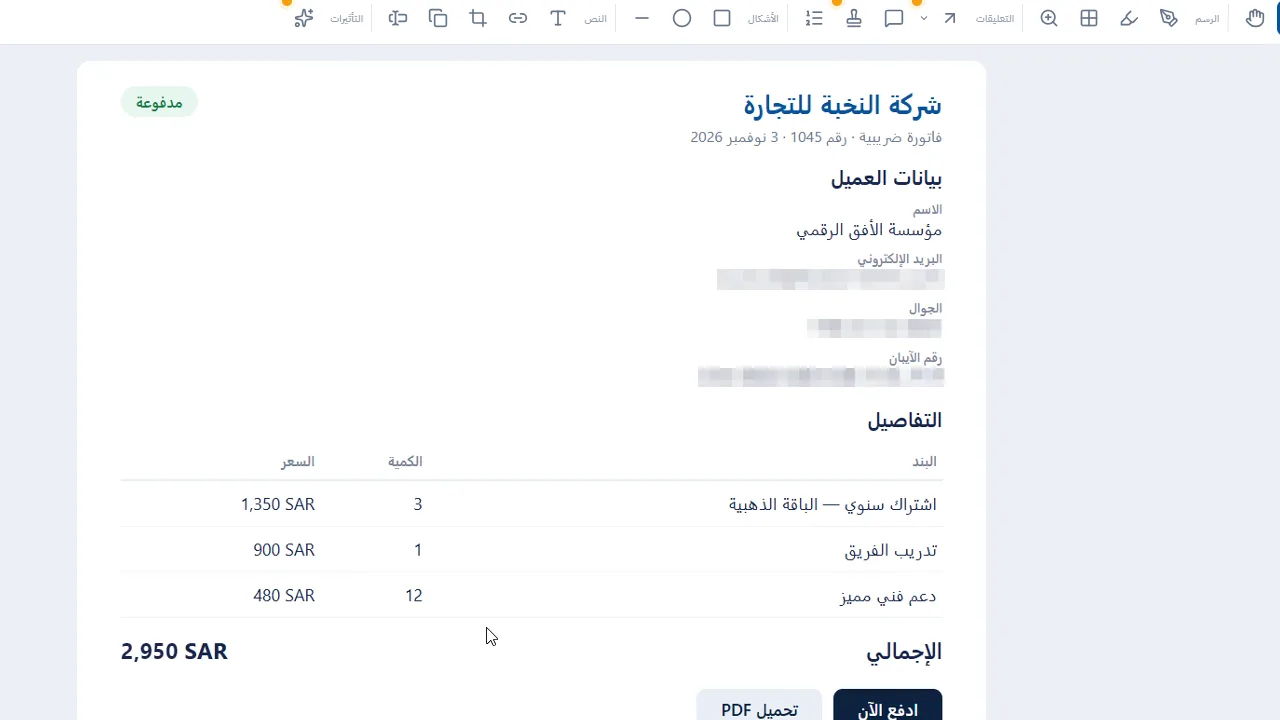
Press «Hide» — the data is blurred in place and the rest stays as it was.
When it helps
- Send an invoice to a customer without showing the IBAN or phone number.
- Share a capture of an internal system in a public group without customer data.
- Attach a picture of a bug to a support ticket with no email or account visible.
- Stay in control: the list shows everything found before anything is hidden.
Related features
Download Laqtta
Windows · every feature for 7 days with no sign-up, then free forever