FreeIn every plan, including the free one.
Copy text from an image
Turn any text on screen into text you can copy, Arabic and English.Runs on your PC, no internet needed.

What it is
Turn any text on screen — in an image, a scanned PDF or a paused video — into text you can copy and edit, in Arabic and English. The reading happens on your PC, with no internet.
How it works
The screenshots show Laqtta in Arabic. Switch the app to English in Settings and the same buttons read in English.
Select the part with the text (Ctrl+Alt+S, then drag).
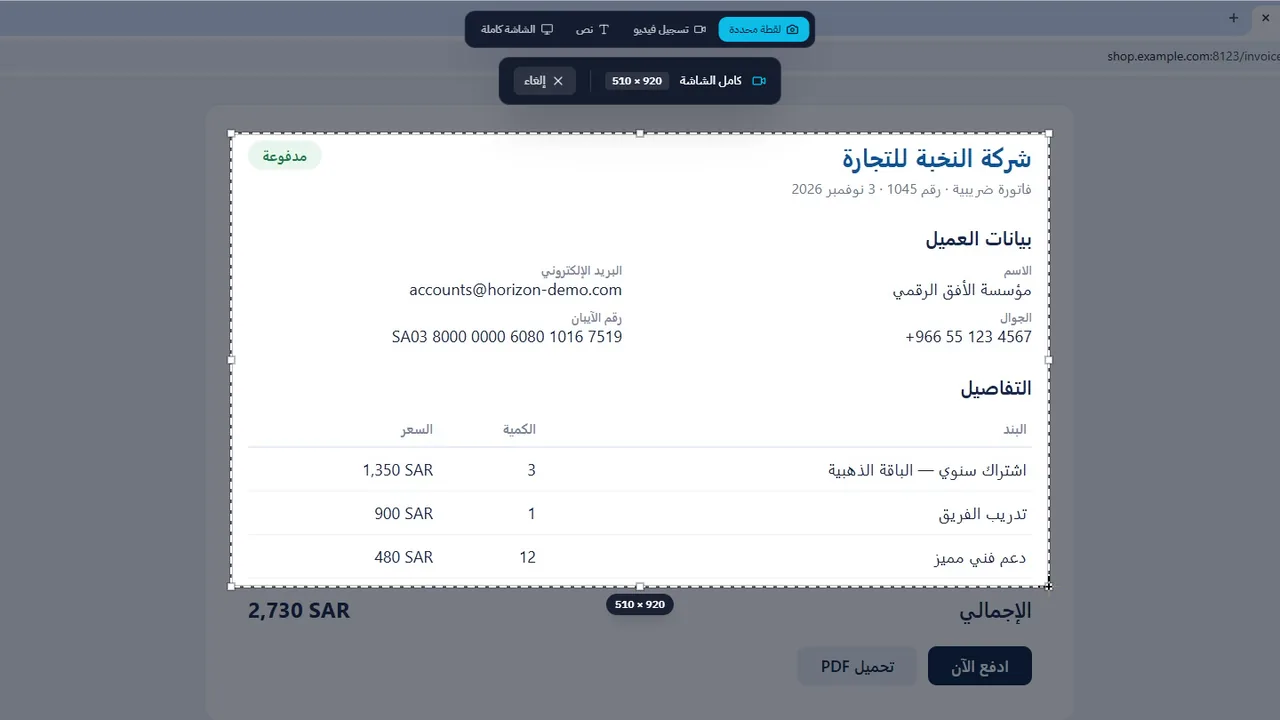
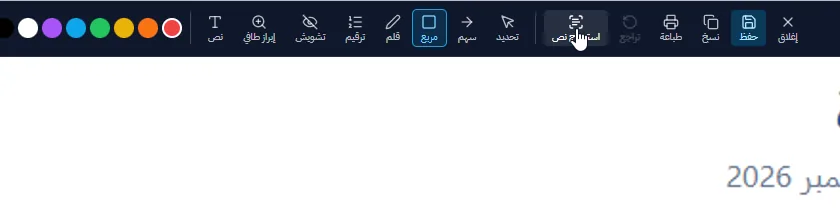
In the quick-edit window, press «Extract text».
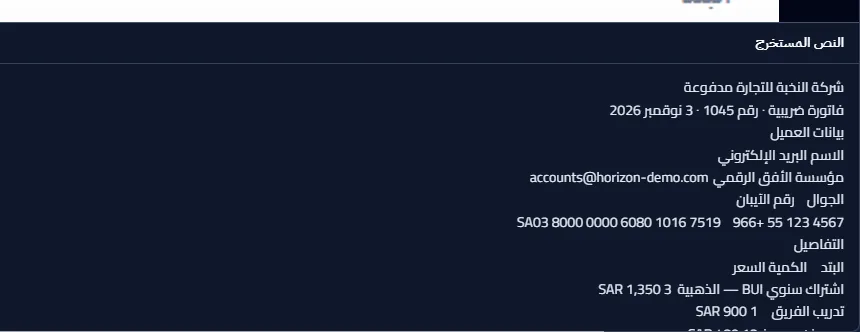
«Extracted text» appears under the capture, Arabic and numbers as they are.
Press «Copy all» and paste it where you need it. To copy straight away with no window: Ctrl+Alt+T.

When it helps
- Copy an IBAN or an order number from an image instead of retyping it.
- Pull a paragraph out of a scanned PDF that will not let you copy.
- Send an error message to a search or to support exactly as it is.
- Turn a price list in an image into text you paste into a sheet.
Related features
Download Laqtta
Windows · every feature for 7 days with no sign-up, then free forever