Screen recording with sound
Record the screen with your mic and the computer's sound together.Mute the mic mid-recording with one button.

What it is
Record the whole screen, a window or a region, with your mic and the computer’s sound together. Before you start, «Recording settings» lets you choose what is recorded, and while recording a small bar holds pause and mic mute.
How it works
The screenshots show Laqtta in Arabic. Switch the app to English in Settings and the same buttons read in English.
On the «Capture» page, choose «Record video».
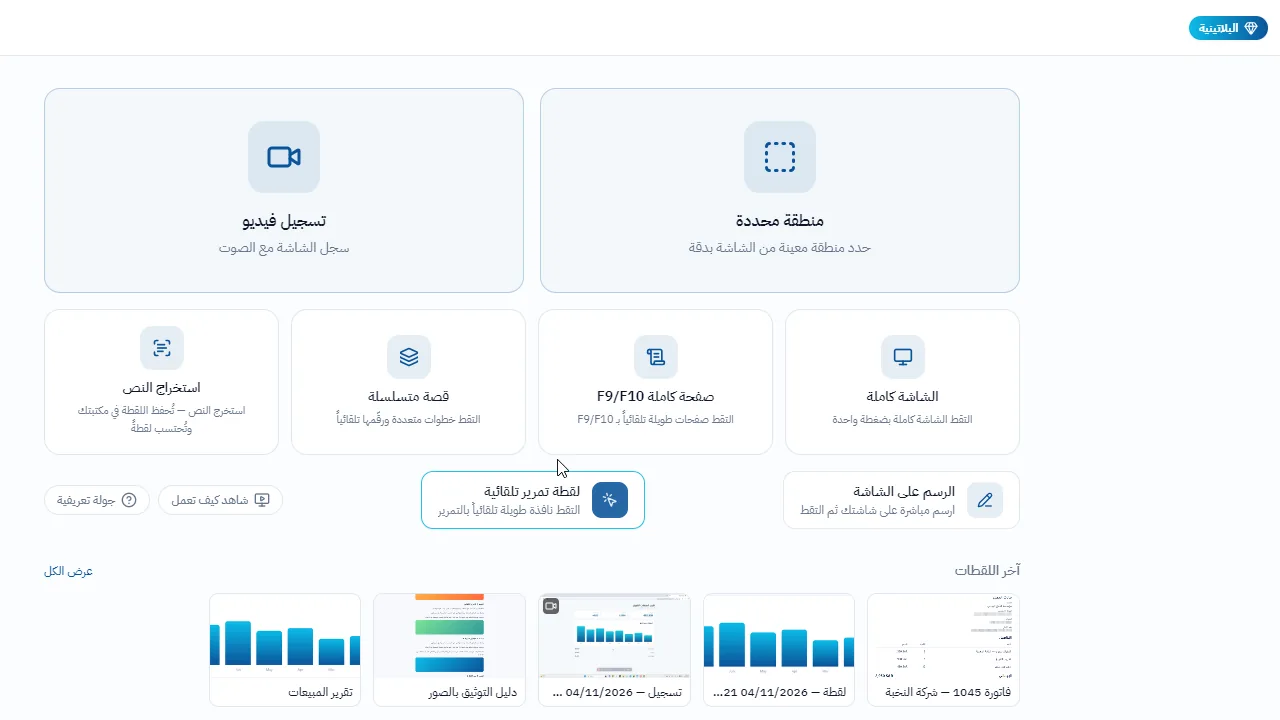
In «Recording settings», turn on «Mic audio» and «System audio», then choose «Full screen (quick)» or «Specific window».
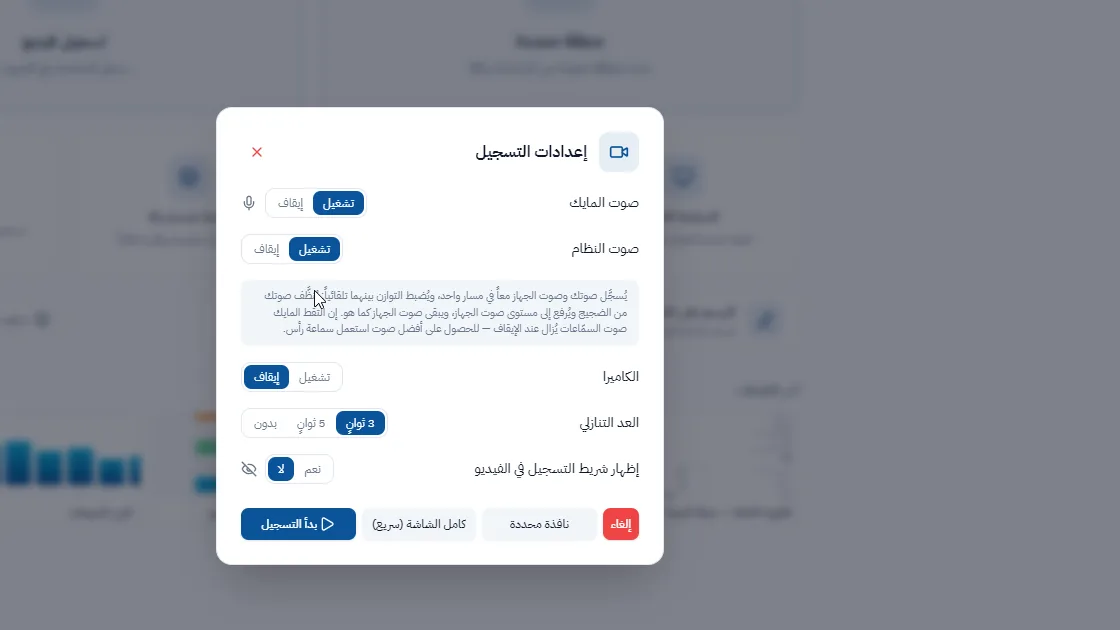
Recording starts after a short countdown.

On the small bar: pause, mute the mic or the computer sound, and stop. Ctrl+Alt+U mutes the mic too.

When it helps
- Walk a new colleague through a system with your voice instead of writing a guide.
- Record a demo for a customer with the sound of the video you show.
- Mute the mic for a side question without stopping the recording.
- Record a bug as it happens so the developers see it exactly.
Related features
Download Laqtta
Windows · every feature for 7 days with no sign-up, then free forever